
Pocket Life World: Avatar Town
Cub LeopardEducational
4.7143.00 Reviews
- Version
- 1.230
- Installs
- 5.00M
- Age Rating
- Everyone
Screenshots
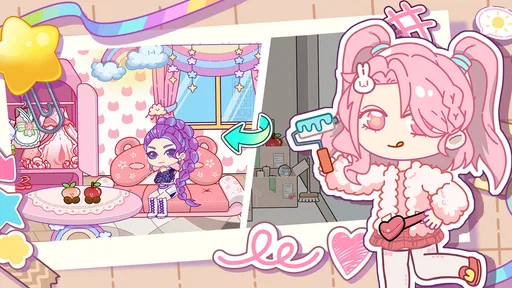

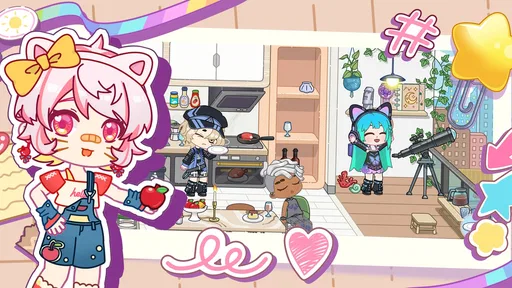
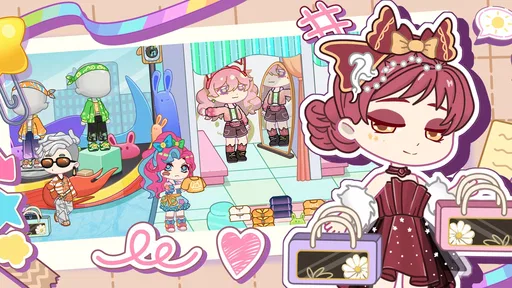
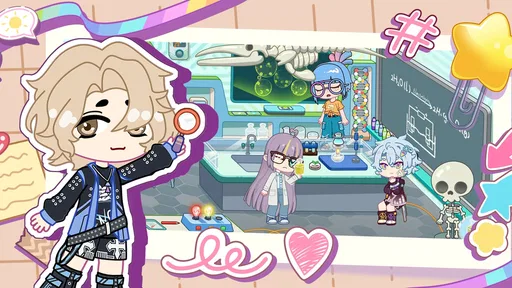
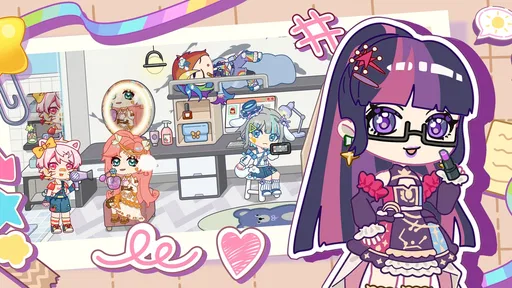
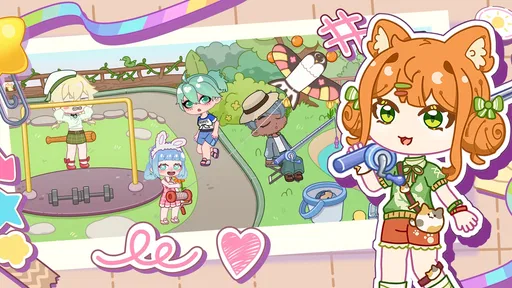
Our Review of Pocket Life World: Avatar Town
 Analysis by Appyee
I approached Pocket Life World: Avatar Town as a small, relaxed world-building game rather than a game with a demanding objective. That distinction matters. The main appeal is the chance to shape an anime-style avatar, arrange a personal space and spend time with cute characters at your own pace. I found it easiest to enjoy when I treated each session as a creative break instead of expecting deep strategy, difficult challenges or a tightly guided story.
It is an educational game from Cub Leopard, although its learning value is informal rather than lesson-based. The useful skills are choosing, organizing, experimenting and expressing a personal style. The game is free to start and suitable for Everyone, which makes it approachable for younger players and casual users. It also has optional purchases ranging from $0.99 to $49.99 per item, so I would keep that in mind before handing the device to a child.
A gentle avatar game with a clear creative purpose
The central loop is simple: create an avatar, dress up characters and arrange a life-themed world. I liked that the game does not require me to understand a complicated system before I can begin making visible changes. That makes it a comfortable choice for someone who wants a dollhouse-like experience on a phone or tablet.
The strongest part is the immediate visual feedback. Changing an outfit or adjusting a room gives the session a sense of progress even when there is no traditional level to complete. For me, that made short sessions feel worthwhile. I could open the game with one small idea, such as creating a particular character style, and stop after finishing that idea rather than feeling forced to continue.
At the same time, users who want a competitive game, a large quest structure or a precise educational curriculum may find the experience too loose. Its educational category should not be interpreted as a substitute for a language, mathematics or science app. The learning comes from creative play and decision-making, not from a sequence of academic exercises.
Where the first-session friction usually appears
The first obstacle is often expectation. Someone arriving from a puzzle game may look for a prominent objective, reward path or clear next mission. Here, the meaningful activity is more open-ended. If the screen seems quiet after the initial setup, that does not necessarily mean something is missing; it may simply be inviting you to choose what to do next.
I also found that customization games can become confusing when I try to change several things at once. A better approach is to work in a fixed order: make the avatar first, choose clothing second, then arrange the surrounding world. This reduces the chance of forgetting which character or area I was editing.
Another common sticking point is deciding what counts as a finished session. There is no need to build an entire dream world in one sitting. I got better results by treating each area as a small scene. One session might focus on a character’s appearance, while the next might focus on making a room feel coherent. That approach makes the open format feel intentional instead of unfinished.
My most useful tip is to make one change at a time and pause to inspect the result. In a dress-up and decorating game, rapid tapping can make it difficult to remember which choice created a good combination. Slowing down also helps younger players understand the relationship between selecting an item and seeing the avatar or setting change.
Simple setup checks before blaming the game
The game supports devices running Android 6.0 or later. Before installing, I would check the operating system first, especially on an older phone or a tablet that is mostly used by children. A compatible store page does not guarantee that an aging device will feel comfortable, so available storage and general device condition are worth checking as well.
If installation pauses or the game refuses to open, I would begin with ordinary checks: confirm that the device has a stable connection, make sure there is enough free storage, close other demanding apps and restart the device. These steps sound basic, but they separate a temporary device problem from a problem inside the game itself.
It is also sensible to install the current version shown for the game, which is 1.230, rather than relying on an old copy that has been sitting on a device. Keeping the app and the operating system reasonably current can prevent avoidable compatibility trouble. I would not repeatedly delete and reinstall before trying these simpler checks, because that can create unnecessary disruption to a player’s routine.
For a family device, I would set expectations before the first session. The game is free, but optional purchases are available. A child may interpret a locked or paid item as a normal part of the creative process, while an adult may see it as an avoidable expense. Reviewing the device’s purchase controls in advance is a practical step, particularly because individual items can cost as much as $49.99.
Another setup question is whether the device is being used for a short break or for longer creative sessions. On a smaller screen, arranging a detailed world can feel less comfortable than on a tablet. A phone is fine for quick avatar changes, while a larger display is generally easier when the goal is to compare several visual choices and organize a scene carefully.
A workflow that makes customization less frustrating
When I want a predictable session, I start with a theme instead of browsing without a plan. A color idea, a personality, or a simple setting gives me a filter for decisions. For example, I might begin with a calm character and choose clothes and surroundings that support that mood. This prevents the common problem of collecting unrelated choices until the scene feels visually noisy.
I then separate selection from decoration. First I decide what the avatar should communicate. Only afterward do I adjust the environment. This is a small workflow change, but it matters because clothing and surroundings compete for attention. If both are changed randomly, it becomes harder to tell whether the character or the room is the part that needs improvement.
For children, I would turn the process into a short creative exercise: choose three words for the character, select an appearance that matches those words, and explain why the setting fits. That gives the educational side more substance without pretending that the game is a formal teaching tool. It encourages vocabulary, comparison and storytelling while keeping the activity playful.
If a player gets stuck, I recommend returning to the last successful action rather than tapping everywhere. Close any selection panel that is no longer relevant, reselect the intended character or area, and then make a single change. In many customization interfaces, the real issue is not that an item is broken but that the wrong object remains active.
When a scene starts to feel cluttered, I use subtraction as a design tool. Removing one distracting choice can improve the result more than adding another decoration. This is a useful lesson for children and adults alike: a good avatar world is not necessarily the one with the most items, but the one where the choices feel connected.
I would also avoid judging the game by the number of changes made in one sitting. The experience works better as a series of small projects. A player can create a character, leave, return later and refine the idea. That rhythm is more relaxing than trying to complete an imaginary checklist.
Recovering a session when something feels wrong
If the game stops responding, my first recovery step would be to wait briefly and avoid repeated taps. Rapid input can make it harder to tell whether the app is processing a selection or has genuinely stalled. If nothing changes, I would close the game normally, reopen it and test a simple action before attempting a larger set of edits.
When only one part of the workflow seems confused, I would move back to a basic state: select the character again, reopen the relevant customization area and make one small change. This is safer than assuming the entire world needs to be rebuilt. It also helps identify whether the issue is tied to a particular action or just a temporary interface state.
If the app repeatedly fails to launch, I would revisit the earlier setup checks: operating-system compatibility, free storage, connection quality and a device restart. I would also check whether other apps are behaving normally. If several apps are slow or closing, the phone or tablet is the more likely source of the trouble.
I would be cautious about reinstalling as a first response. Any game involving personal creations deserves a little care before removing it. The safest general practice is to make sure important device information is handled appropriately and to use the platform’s normal update or support route when a problem continues. I would not assume that reinstalling automatically preserves every part of a creative session.
There is a useful distinction between a visual choice not appearing and the whole game failing. If the game still responds elsewhere, I would retrace the selection process instead of treating it as a crash. If the entire interface is frozen, then restarting the app is more reasonable. This simple diagnosis can save time and prevents unnecessary changes to a carefully arranged world.
When the app is not the real cause
Some complaints are really about the device or the surrounding environment. A phone with very little free space may struggle with new installations or updates. An unstable connection can interrupt store activity even when the game itself is functioning normally. A crowded background workload can also make a lightweight creative session feel less responsive.
Age and expectations are another factor. A younger player may need help understanding that the game is open-ended, while an older player may quickly decide that it lacks enough challenge. Neither reaction means the app is malfunctioning. It means the player is looking for a different type of experience.
The same applies to purchases. If a desired item requires payment, that is a business decision built into the free-to-start model rather than evidence that the basic game cannot be used. I would decide in advance whether optional spending is acceptable. For a child, I would make that boundary clear before play begins, not after an accidental purchase creates frustration.
Compared with a conventional dress-up app, this game is more appealing if you want the avatar to exist within a broader personal world. Compared with a life simulation game, it is a better fit for someone who prefers relaxed visual arrangement over complex management. Compared with a structured educational game, it offers more freedom but less direct instruction. Those trade-offs are central to choosing it well.
Who will enjoy it, and who should skip it
I would recommend it to players who like anime-inspired customization, dollhouse-style scenes and low-pressure creative play. It is especially suitable for short sessions after school, during a quiet break or when someone wants to make something visual without learning a complicated rule set.
A realistic everyday use case would be a child spending fifteen minutes creating a character around a story idea, then showing the result to a parent and explaining the clothing and setting choices. An adult could use the same routine as a small creative reset between tasks. The value is not in winning; it is in turning a vague idea into a visible scene.
I would skip it if your priority is fast action, competition, deep progression or measurable academic practice. I would also hesitate to recommend it to someone who dislikes optional purchase prompts in free games, even if they never buy anything. Players who want a highly structured life simulator may prefer an alternative with explicit goals, resource systems or longer-term management.
The game’s broad appeal is reflected in its 4.7 average from around 20K ratings and more than 5M installs. Those figures suggest that the relaxed format has found a substantial audience, but they do not change the basic trade-off: popularity cannot turn an open-ended decorating game into a strategy title. I would choose it for its creative calm, not for the promise of constant novelty.
My practical verdict after using it
Pocket Life World: Avatar Town is a pleasant choice when I want a free, accessible game built around avatars, outfits and personal spaces. Cub Leopard keeps the basic idea easy to understand, and the Everyone age rating makes it approachable for family use. The best results come from giving each session a small creative purpose rather than waiting for the game to provide a demanding objective.
Its limitations are equally clear. The open structure can feel directionless, the educational label should be understood as creative learning rather than formal instruction, and optional purchases mean adults should establish spending controls before children play. Older devices may also need a little preparation, particularly when storage or system compatibility is already an issue.
The game was released on April 30, 2025, and its current version is 1.230. For someone with a compatible device who enjoys anime-style avatar creation and gentle world decoration, I think it is worth trying at no initial cost. I would approach it as a digital creative box: useful for making small scenes, experimenting with identity and relaxing for a few minutes, but not the right replacement for a goal-driven game or a serious learning app.
Verdict
Strengths of Pocket Life World: Avatar Town
- Creative avatar and home customization options
- Easy controls suitable for younger players
- Encourages imaginative, open-ended roleplay
- Colorful locations make exploration enjoyable
- Playable without constant internet access
Limitations of Pocket Life World: Avatar Town
- Some items and areas may require in-app purchases
- Limited challenge for players seeking structured gameplay
- Can become repetitive after exploring the available locations
- Performance may vary on older Android and iOS devices
- Ads or purchase prompts may interrupt younger users
Similar Picks in This Category
View All
Little Panda Policeman
BabyBus4.0

Monster Trucks Game for Kids 2
Raz Games4.1

Little Panda's Chinese Recipes
BabyBus4.4

Little Panda's Restaurant
BabyBus4.4

Little Panda's Ice Cream Games
BabyBus4.3

Baby Panda Care
BabyBus3.8
Frequently Asked Questions
What is Pocket Life World: Avatar Town?
Pocket Life World: Avatar Town is a casual life-simulation game where you create an avatar and explore colorful locations, decorate spaces, and interact with characters and objects. It is designed around open-ended play rather than a strict storyline, so younger players and families can invent their own scenarios, build routines, and enjoy short creative sessions at their own pace.
Is Pocket Life World: Avatar Town free to download and play?
The game can generally be downloaded for free, but some content may be offered through optional purchases, such as extra locations, outfits, accessories, furniture, or other customization items. Before downloading, parents should check the current store listing for pricing and confirm whether in-app purchases are enabled on the device. Availability and included features may vary by platform or region.
Is Pocket Life World: Avatar Town suitable for children?
Pocket Life World: Avatar Town has a simple presentation, colorful visuals, and accessible controls that make it appealing to children. However, the appropriate age can depend on the device settings, advertising, and purchase options available in the current version. Parents should review the app-store rating, privacy information, and in-app purchase controls, especially if children use the device without direct supervision.
Does the game require an internet connection?
Some parts of Pocket Life World: Avatar Town may work without a constant connection, particularly basic avatar creation and previously available activities. Nevertheless, internet access can be required for downloading the game, loading advertisements, restoring purchases, receiving updates, or accessing certain content. Offline behavior may differ between Android and iOS, so it is worth testing the game after installation before relying on it during travel.
Can I customize characters and explore different areas?
Customization and exploration are central to the Pocket Life World: Avatar Town experience. Players can typically change their avatar’s appearance, clothing, and accessories, then use different town areas to create everyday stories and activities. The amount of available content depends on what is unlocked in the installed version, and some locations or items may require optional purchases or progress within the game.
Play our best games!


